
-
Tutorial: Stream Music from Iphone/Ipad to Windows PC running XBMC
Posted on November 3, 2012 by Michael in Latest News, Tutorials
One thing which has always annoyed me about xmbc is there was never any inbuilt streaming support. This meant if you wanted to play music via your XMBC setup you would need to either have a copy of the music on the computer, or a work around would be to install itunes, then share your itunes library from another machine and open it up on the PC (this is outside of XBMC).
It seems if you run XMBC on Linux or MAC, then this is possible but currently for us windows users it’s not possible. (In future releases of XMBC this may change).
Well after a bit of searching I’ve found the perfect work around.
First we need to go in to the setting’s within XBMC and select network > services > and enabled Allow XMBC to receive Airplay content
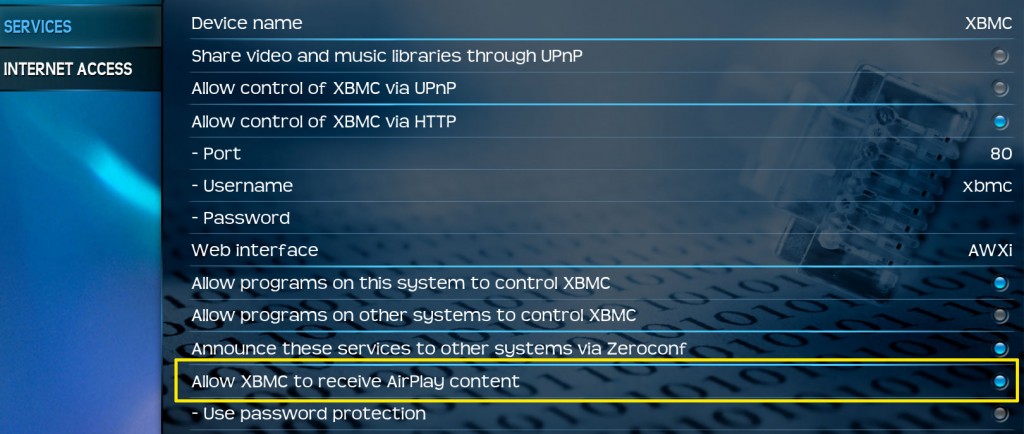
Once this is enabled, you should find you can play videos from your iphone/ipad on your XBMC setup. This is good but it’s not what I want
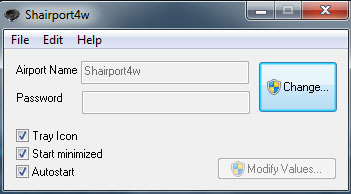
Here’s the important part, what you need to install on your PC where XMBC is installed is the following program: Shairport4w (http://sourceforge.net/projects/shairport4w/)
Run this program (extract to your desktop or a folder of your choice).
As I want this starting on start-up tick all the options (tray icon, start minimized, autostart) as per the below screen shot.
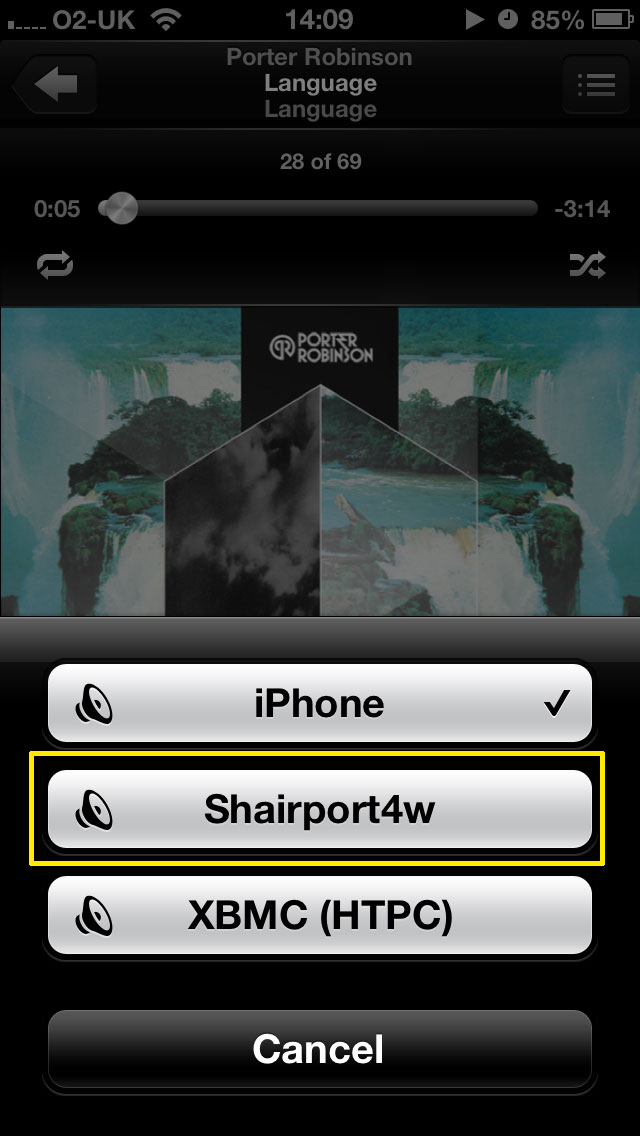
From your iphone/ipad, open up the music app and start playing a song, you’ll notice on the right you have a little icon

Select this and then click “Shairport4w” (or the name you have called it). Note: If playing a video you would select XBMC.
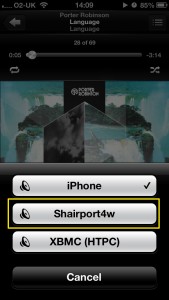
Once selected you will notice the sound stop’s playing on your phone and now plays via your XBMC setup. Which if like me, you will most likely have your surround sound connected up to your XMBC box and it will sound great!
The Icon will also turn orange

Finally, if you wish to play the music from your laptop or desktop over to your XMBC setup, follow the same procedure in iTunes, select the airplay icon and then select “Shairport4w” (or alternatively select multiple speakers and you can have it playing via your laptop/desktop and also your XMBC setup)
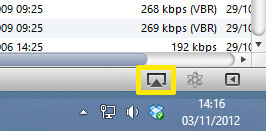
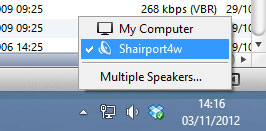
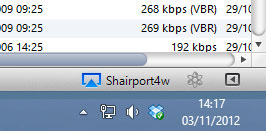
There we have it, us windows user can now enjoy streaming music from our IOS devices to XMBC…



Just what I was looking for many thanks
Your explanation was by far the easiest to comprehend. I tell you, I usually get annoyed when folks discuss issues that they clearly do not know about. You managed to hit the nail right on the head and rolled out everything without complication. Hopefully, other people can take a cue. Will be back for additional. Keep writing
i read your article and love it so much ,thank you so much.