
-
UAG Console Fails To Load
Posted on April 17, 2014 by Michael in Latest News, Troubleshooting, Tutorials
Ran in to an interesting one the other day, where by the UAG console would no longer load.
It would just present me with the following:
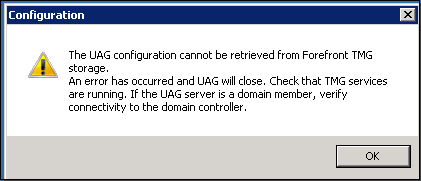
This error occurs when the UAG is unable to communicate with AD via the AD LDS service. (Active Directory Lightweight Directory Service).
In order to get around this error you must first open up services (services.msc), and from there select the ISASTGCTRL service

You need to stop this service and once this service is stopped you should be able to get back in to the UAG console (providing this is the master device).
In this instance I found the UAG array was also broken which is what caused this issue in the first place.
By being able to forcefully get in to the console you should now be able to start to troubleshoot further by looking at the settings and output from the eventlog